
-
Content
Last Updated on October 4, 2025 by Robert Luong
Every sale ends at the checkout, and the POS equipment you use there can make or break the experience. There’s no one-size-fits-all solution. A food truck doesn’t need the same equipment as a retail shop, and a busy restaurant has different priorities than a small service business. With so many options: registers, kiosks, payment terminals, scanners, and accessories, it’s easy to overspend or pick tools that don’t fit.
That’s why understanding POS equipment matters. Once you know what’s out there and how it works, you’ll be able to:
- Choose hardware that fits your business model
- Avoid paying for features you’ll never use
- Keep customer data secure and payments seamless
- Plan a setup that grows with your business
This guide breaks down the essentials so you can make confident, informed decisions about your POS investment.
What is POS equipment?
Point-of-sale (POS) equipment refers to the physical hardware and accessories your business uses to accept payments and complete transactions. Its primary role is to transfer payment details to your payment processor so the transaction can be authorized and settled. Merchants can use POS equipment to process cash, credit cards, debit cards, and digital wallets such as Apple Pay or Google Pay.
For online payments, your phone, laptop, or tablet can also function as POS equipment. By using Tap to Pay on iPhone, virtual terminal, invoicing software, or recurring payment tool, you can process transactions without investing in additional hardware.
Why do you need POS equipment?
Without POS equipment, you cannot process payments for your customers. Yes, you could accept cash, collect checks, or manually receive bank transfers from each customer, but that’s not a scalable way to grow your business.
In some industries, not having POS equipment for digital payments is a dealbreaker in today’s economy. In fact, U.S. consumers under 55 use cash for only about 12% of all payments. That means if your business is cash-only, you’re effectively giving away 88% of potential customers to competitors.
On top of that, more than 82% of adults had a credit card as of 2023, making POS equipment a must-have for any business that wants to grow in today’s economy.
Essential POS equipment and accessory checklist for a new business
The POS equipment is more than just a credit card machine or credit card reader. They are different devices, accessories, and tools that help you check out your customers, accept payments, check inventory, and operate your business efficiently. There are two types of POS equipment:
- Core POS equipment: This is POS equipment that plays a direct role in collecting payments from customers.
- Supporting POS accessories: These POS accessories act as the add-on or supporting devices that make the checkout process efficient.
1. Core POS equipment
The core POS equipment transfers payment details and customer information to payment processors, who then work with banks and card networks to move money from the customer’s account to your business bank account. Below are the most common types of core POS equipment:
POS station or registers: This is the heart of the POS system for retail and other brick-and-mortar businesses. A POS station handles order entry, cart summary, refunds, and payment initiation. It typically consists of a touchscreen device or tablet that staff use to select products and view the customer’s cart, along with accessories like barcode scanners, cash drawers, and card readers.
POS kiosks: Kiosks are essential for self-service checkout. They’re common in large quick-service franchises like McDonald’s and Burger King. Customers can place orders, review their cart, and pay directly at the kiosk. The system then prints a receipt and order number, which customers use to pick up their food at the counter.
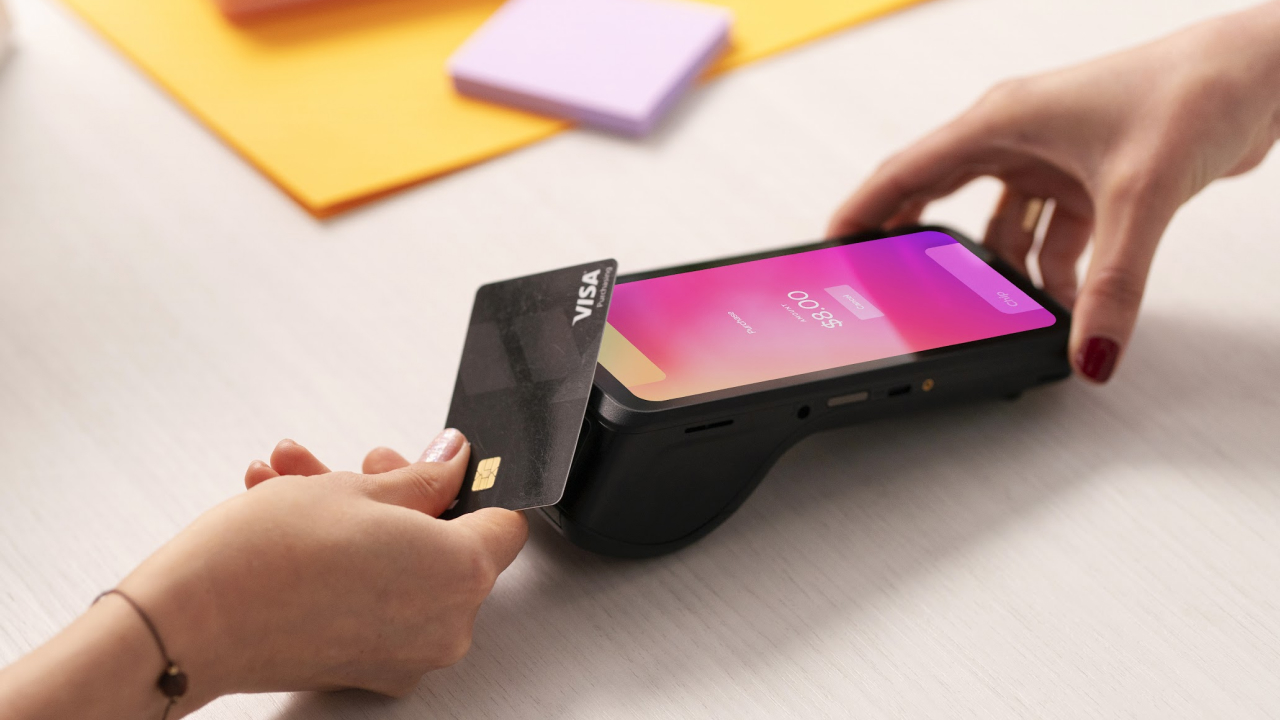
Credit card readers: Card readers process customer payments from credit cards, debit cards, or digital wallets. Most modern readers support EMV chip cards, magnetic stripe, and NFC contactless payments like Apple Pay and Google Pay. After staff confirm the cart total, the amount appears on the card reader’s screen. Some card readers include a keypad for manual amount entry, card PIN input, and tipping, while others only allow tap or insert payments.
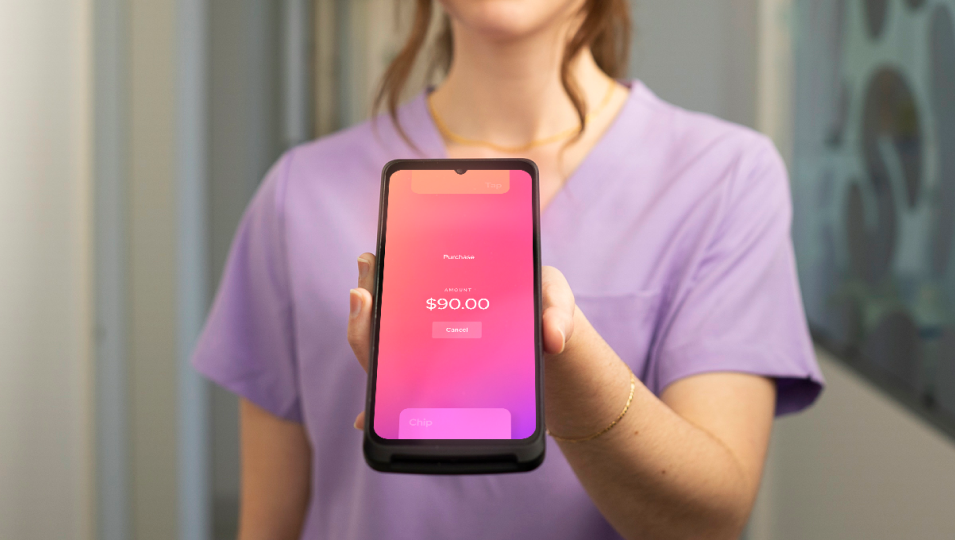
Payment terminal or Mobile POS (mPOS): These devices go beyond card readers by combining payment acceptance with POS functions such as checking inventory, issuing invoices, or printing receipts. They have touchscreens and often operate as all-in-one systems. Mobile POS devices are popular with restaurants (for tableside payments), on-the-go businesses, and mobile service providers because they allow transactions to be completed anywhere.
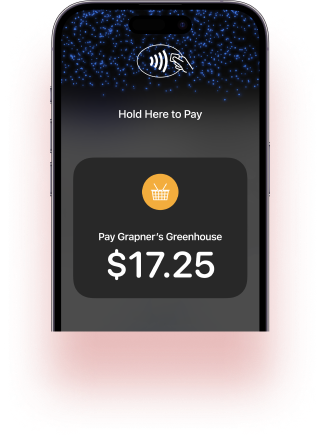
Tap to Pay on iPhone or Android: For businesses that want to save on hardware costs, Tap to Pay on iPhone or Android turns your smartphone into a payment terminal. For example, Helcim Tap to Pay on iPhone lets merchants accept credit and debit card payments by having customers tap their card or phone directly on the merchant’s iPhone, no extra hardware required.
Kitchen display systems (KDS): For restaurants, kitchen display systems ensure that all orders are organized for the team to work on. These systems connect with POS stations or kiosks so that as soon as customers place and pay for their orders, the details are sent directly to the kitchen.
2. Supporting POS accessories
Without supporting accessories, it’s difficult to run your business smoothly and serve customers effectively. Not every business needs the same POS setup; the accessories you require may differ depending on your operation.
-
Cash drawers: Even though the majority of customers pay by card, cash still accounts for about 15.2% of purchases. For businesses that accept cash, the cash drawers connect to the POS system and pop open only when staff record a cash transaction. This keeps money secure and makes tracking cash sales easier.
-
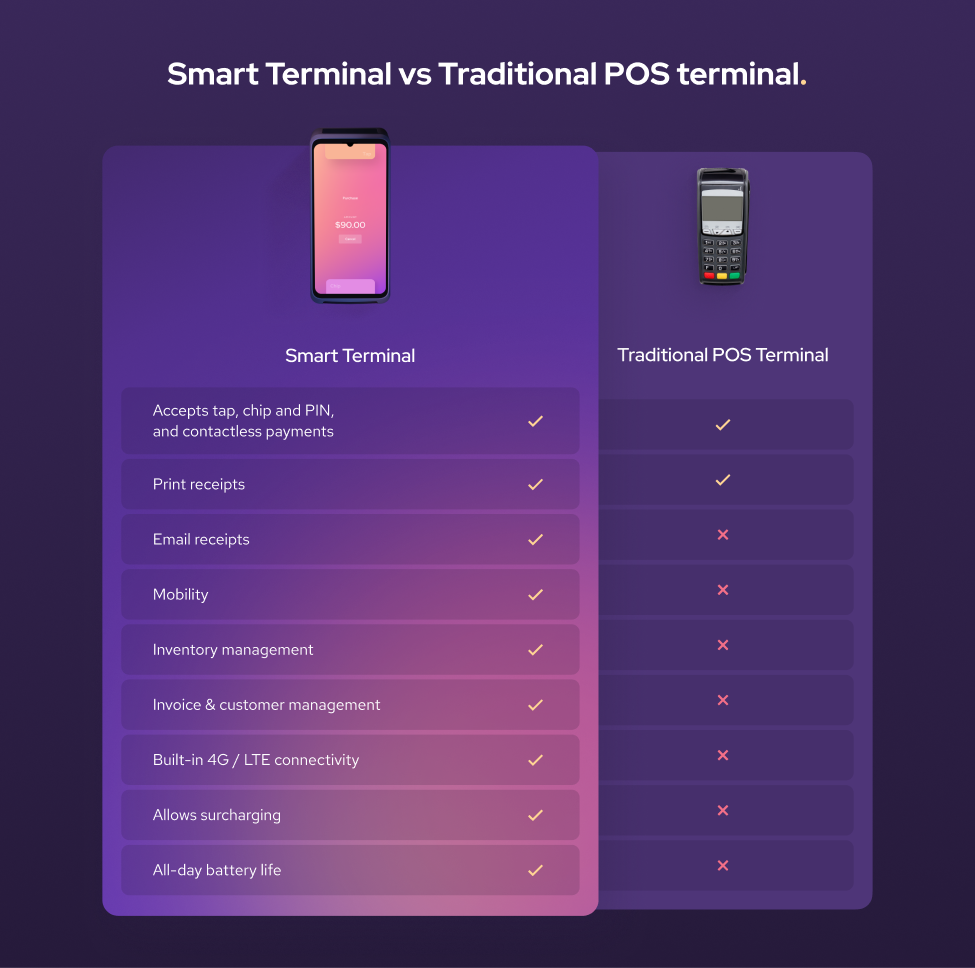
Receipt printers: While many customers prefer digital receipts sent by email, paper receipts are still common. Receipt printers let you provide purchase records and refund slips instantly. If you use the Helcim Smart Terminal, it includes a built-in receipt printer, so you won’t need a separate device to print receipts.
-
Barcode scanners: The barcode scanner is the must-have POS accessory in retail or whenever products have SKUs. They speed up checkout and reduce errors by instantly pulling up product details such as price, type, and stock level. Scanners can be handheld or mounted at the POS station.
-
Payment terminal charging dock: If you use a wireless credit card machine and not tethered to your POS station, a charging dock ensures the battery stays full. Simply place the terminal on the dock to charge, then remove it when you need to use it. No plugging or unplugging cables required.
-
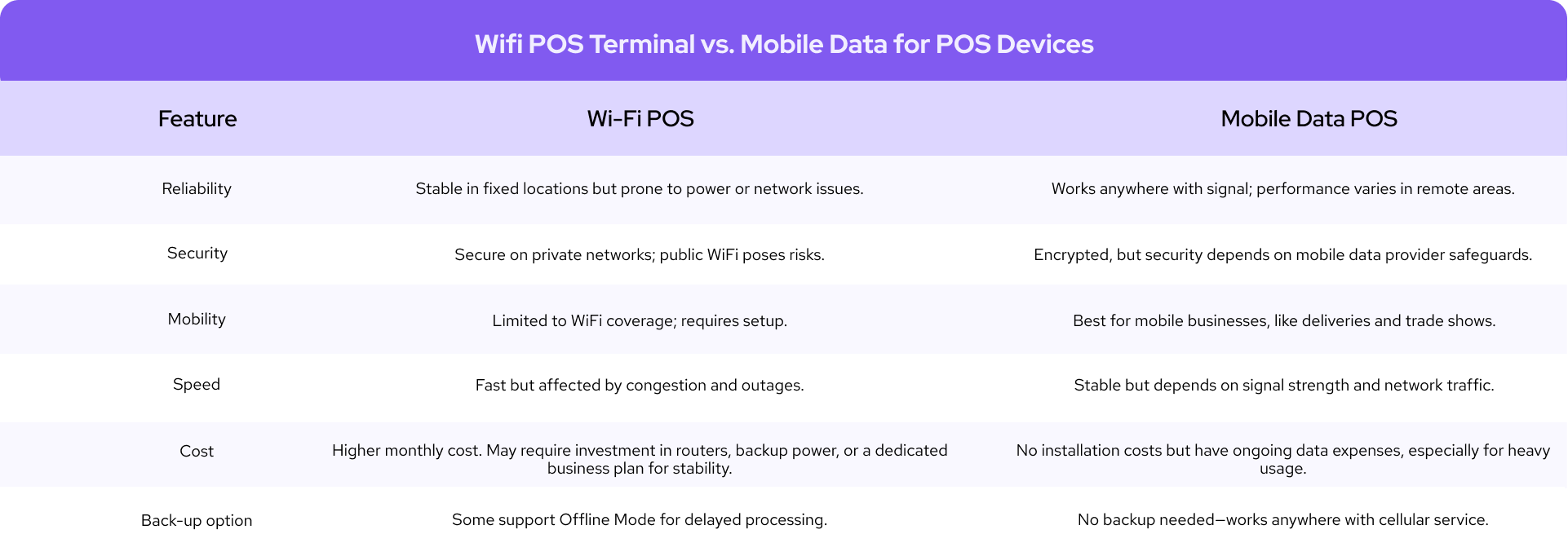
Payment terminal data plan: Most POS equipment runs on Wi-Fi or wired internet, but for mobile or on-the-go businesses, Wi-Fi isn’t always available. A terminal data plan ensures uninterrupted service anywhere. For example, the Helcim Mobile Data Plan provides reliable 4G/LTE connectivity for the Helcim Smart Terminal, keeping payment processing fast, secure, and uninterrupted.
How much does POS equipment cost?
The cost of POS equipment can vary widely depending on the type of hardware, the brand, and the number of stations you need.
Basic setup: For a starter kit with a tablet, credit-card reader, cash drawer, and receipt printer, most businesses spend about $600–$1,200 USD (≈$840–$1,680 CAD). This aligns with the lower-end ranges for readers, drawers, and printers shown in the table.
Full multi-station setup: For a busy retail store or restaurant needing several POS stations, multiple terminals, and accessories like kiosks or KDS screens, a realistic budget is at least $5,000 USD (≈$7,000 CAD), with high-volume configurations easily reaching higher depending on the mix of hardware.
Below is a detailed list of POS equipment costs you can expect:
| POS equipment | U.S. price range (USD) | Canadian price range (CAD) |
|---|---|---|
| POS stations / registers | $329 – $1,900 | $460 – $2,660 CAD |
| Self-service kiosks | $149 – $3,499 | $210 – $4,900 CAD |
| Credit-card readers | $49 – $149 | $70 – $210 CAD |
| Payment terminals / mPOS | $299 – $699 | $420 – $980 CAD |
| Tap to Pay on iPhone/Android | $0 hardware cost | $0 hardware cost |
| Kitchen display systems (KDS) | Up to $899 | Up to $1,260 CAD |
| Cash drawers | $129 – $200 | $180 – $280 CAD |
| Receipt printers | $295 – $305 | $410 – $425 CAD |
| Barcode scanners | $149 – $399 | $210 – $560 CAD |
| Payment-terminal charging station | $39 – $99 | $55 – $140 CAD |
Should you buy a new or refurbished POS equipment?
When choosing POS hardware, business owners often weigh whether to buy new equipment or save money with refurbished devices. Each option has trade-offs that affect cost, performance, and risk.
1. Pros and cons of new POS equipment
New POS equipment generally lasts longer than refurbished one. It’s also more likely to be compatible with the latest payment technologies, such as EMV and contactless payments, as well as the most up-to-date POS software and security patches. New equipment often comes with 1–3 years of warranty coverage, so if something goes wrong, you can get a replacement.
However, not every POS provider offers warranties, and in industries where equipment is easily damaged—such as environments where staff or customers may drop terminals frequently—those repairs or replacements can become a significant financial liability.
2. Pros and cons of a refurbished POS equipment
Refurbished POS equipment typically costs 40–70% less than new, which can be a big advantage for small businesses with tight budgets. It can also reduce financial loss if your business is in an industry where equipment is frequently broken.
The trade-off is that refurbished hardware usually has a shorter lifespan and may break down sooner under heavy use. You also can’t always be sure of its condition. Some advanced payment or security features may be missing.
Besides, buying from an individual reseller adds more risk: there’s no guarantee of security, and compromised devices could potentially contain credit card skimmers that steal your customers’ payment information.
What are the security features of POS equipment?
One of the main roles of POS equipment, especially POS terminals, is to securely transfer sensitive payment details and customer data to your POS provider so they can process each transaction.
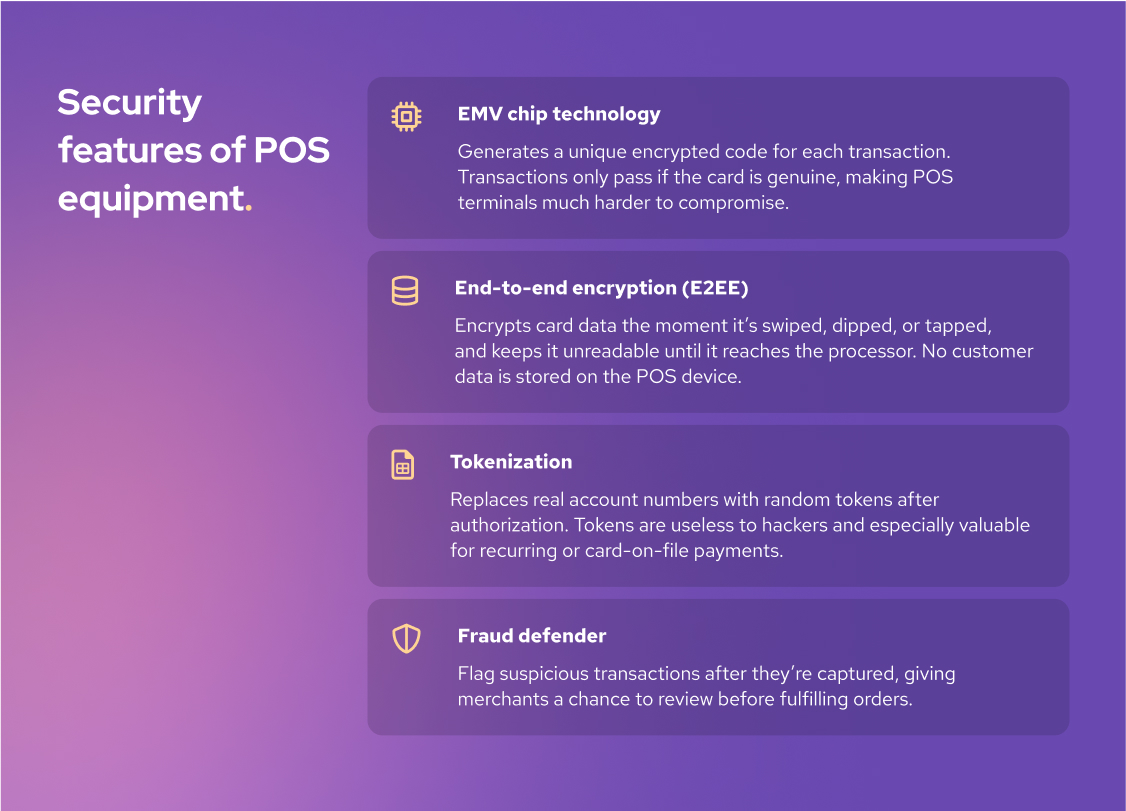
Here are the most common security measures built into POS equipment:
-
EMV chip technology: Europay, Mastercard, and Visa (EMV) chips are now the global standard for card readers. Unlike static magnetic stripes, EMV chips generate a unique encrypted code for every transaction. A transaction only goes through if the card is genuine, which makes EMV-enabled POS terminals much harder to compromise.
-
End-to-end payment encryption: Card data is encrypted the moment it’s swiped, dipped, or tapped, and stays unreadable until it reaches your payment processor’s secure server. Importantly, POS equipment does not store customer data, so even if hackers target your system, there’s no payment information to steal.
-
Credit card tokenization: Once a card transaction is authorized, the real account number is replaced with a random token stored in your back-end POS system. Tokens are meaningless to hackers, which makes this especially valuable for businesses that require payment details for card-on-file payments or recurring billing.
-
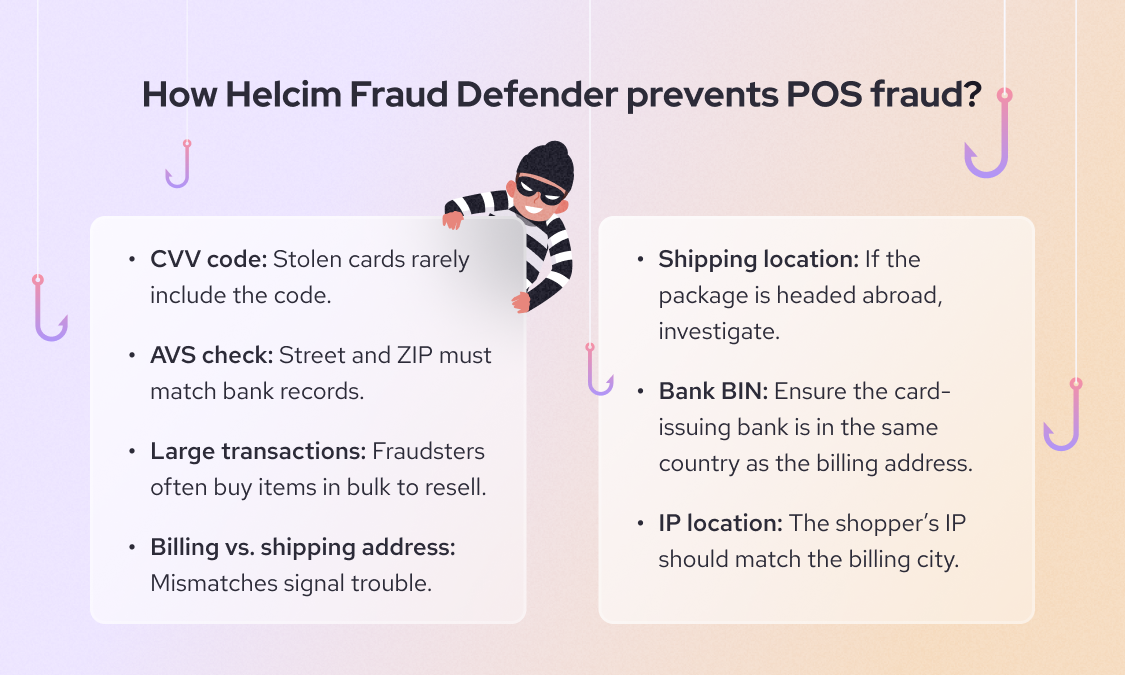
Fraud defender: Some providers, like Helcim, offer built-in tools such as Fraud Defender. These tools flag suspicious or high-risk transactions after the POS system captures the details, giving you the chance to review before shipping goods or completing services.
What are the security limitations of POS equipment?
While POS equipment includes strong protections, no system is invincible. The most common way fraudsters bypass security is by attaching a credit card skimmer to your POS equipment. These devices steal payment data as soon as a card is inserted. So, make sure to regularly inspect your terminals to spot and remove skimmers before they affect your customers. Learn more about how to spot and protect your customers from credit card skimmers here.
Fraudsters may also use stolen card information or fake cards. Watch for red flags such as customers insisting you bypass the chip reader, trying to avoid entering a PIN, or asking you to key in card details manually. If something feels suspicious, cancel the transaction.
Learn more about how to avoid card-present fraud and card-not-present fraud here.
Should you buy POS equipment on Amazon?
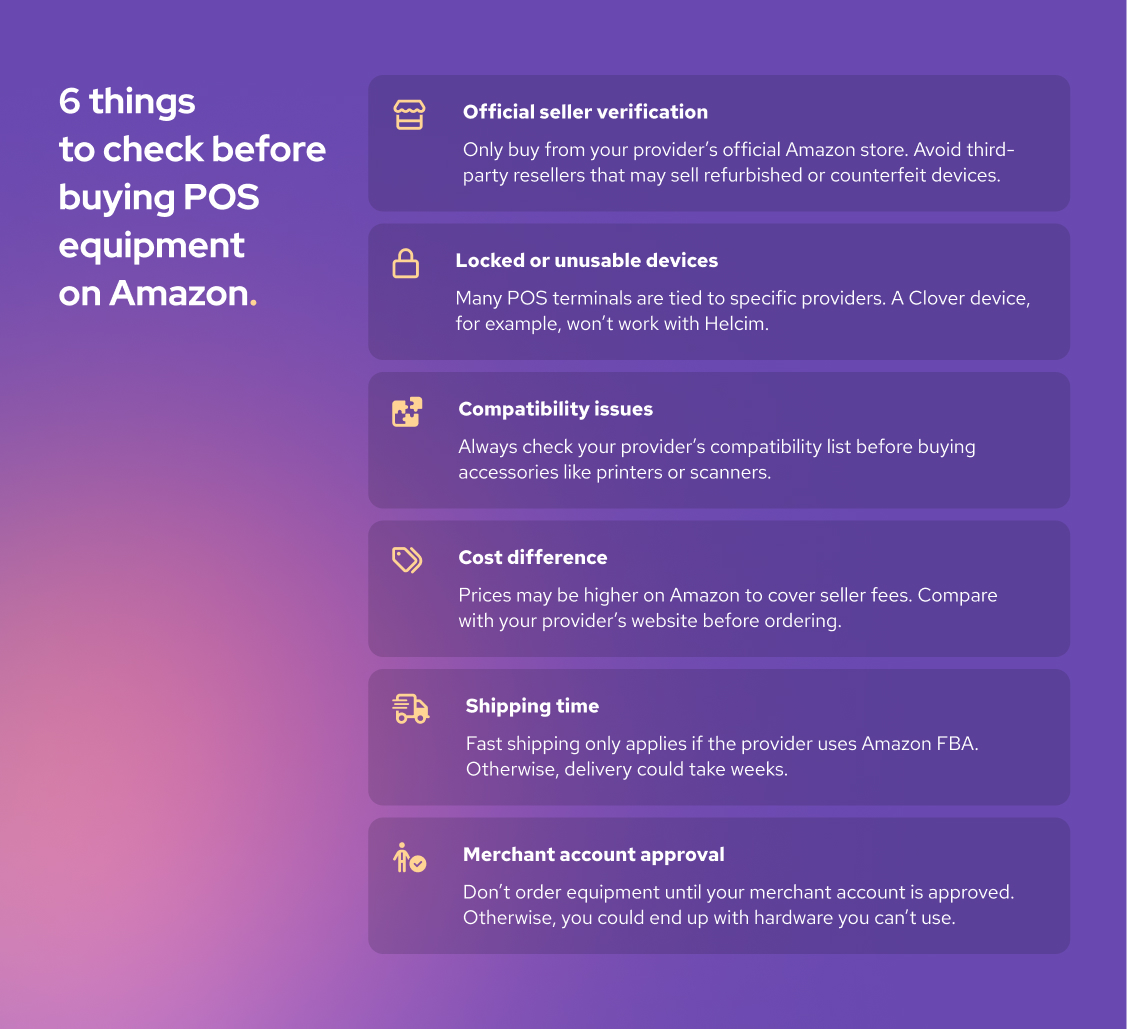
For many business owners, Amazon is the first place they look when buying POS equipment. It offers fast shipping, competitive pricing, and a huge catalog of products. But before you order your POS equipment on Amazon, there are a few things to keep in mind:
-
Official seller verification: If your POS provider has an official Amazon store, it’s safe to buy from them. Avoid individual sellers or resellers because the equipment may be refurbished, counterfeit, or incompatible with your POS system. Always check the seller account before placing your order.
-
Locked or unusable devices: Many POS devices are tied to specific providers. For example, if you buy a Clover terminal and try to use it with another provider like Helcim, it won’t work.
-
Compatibility issues: If you’re buying accessories such as barcode scanners, receipt printers, or cash drawers, check your provider’s compatibility list first. This list shows which third-party brands are supported, so you don’t end up with equipment that won’t connect.
-
Cost difference: Because POS providers pay Amazon fees on every sale, they may raise prices on Amazon to cover that cost. Always compare Amazon prices with the provider’s official website to make sure you’re not overpaying.
-
Shipping time: If your POS provider uses Amazon FBA (Fulfillment by Amazon), shipping will be fast. If not, delivery depends on the provider’s warehouse and your location; it could take up to days or weeks. Don’t assume fast shipping always applies to your order, and always check the estimated delivery time before ordering.
-
Merchant account approval: Most modern POS equipment requires you to log in with your merchant account. If your merchant account application is still pending, hold off on ordering. Why? Because if your application is denied, the equipment will be useless. Wait for approval before placing your order.
Should you rent or buy your POS equipment?
At first glance, renting POS equipment can look like an easy way to save money. The monthly payments seem manageable, and you don’t need to spend thousands upfront. But once you look closer, renting often comes with hidden costs and long-term commitments that may not work in your favor.
1. Why shouldn’t you use POS equipment?
Long contracts and cancellation fees: Most providers require you to sign a 3 to 5-year contract to rent POS equipment. If you try to cancel early, you’ll likely face hefty penalties—sometimes equal to the cost of buying the hardware outright.
Higher long-term costs: Leasing almost always costs more over time. For example, paying $29 a month for a terminal over 60 months adds up to about $1,800. Buying the same device outright typically costs $300–$500, which means you could end up overpaying by more than $1,000 across five years.
No resale value: When you own your equipment, you can sell it later or trade it in. With leased equipment, you return it at the end of the contract and have nothing to show for the money you’ve spent.
2. When should you rent POS equipment?
The one situation where renting can be reasonable is in industries where equipment often gets damaged or worn out quickly. In those cases, a lease might help spread out replacement costs. Still, providers won’t replace broken devices indefinitely; they’d lose money if they did. Always check the fine print to understand what’s covered and for how long before committing to a rental agreement.
Get Helcim Smart Terminal and save 25% on credit card processing fees
If you’re ready to accept in-person payments, the Helcim Smart Terminal gives you everything you need in one sleek device. You can take chip, tap, and PIN payments, print receipts, and even manage transactions directly on the terminal, no extra equipment required.

Unlike other providers that lock you into long contracts, Helcim offers automatic volume discounts and interchange-plus pricing, so the more you process, the more you save. On average, merchants who switch to Helcim save up to 25% on credit card processing fees compared to flat-rate providers like Square or Stripe.
If you’re stuck in a hardware leasing contract and want to make the switch, Helcim’s Merchant Buyout Program can help. We’ll waive up to $500 in processing fees to cover your switching costs—so you can break free from long-term leases and start saving sooner.

Break up with bad rates.
Feeling stuck with your provider? We'll waive $500 of your processing fees when you switch to Helcim.
FAQ
Can you mix and match different POS equipment brands?
For POS equipment like barcode scanners, cash drawers, and receipt printers, you can mix and match different brands. But make sure to check your POS provider’s compatibility list. However, for payment terminals, credit card readers, POS kiosks, and POS stations, you have to buy them from your provider.
Can you use POS equipment from one provider for other POS providers?
In most cases, no. Payment terminals and card readers are typically tied to the original provider because of encryption keys and compliance requirements. A Clover or Toast terminal, for instance, won’t work with Helcim or Square. Some accessories like cash drawers or scanners may be reusable, but the core payment hardware is provider-specific.
Which kind of businesses need POS equipment?
Any business that accepts in-person payments needs POS equipment. Retail stores, restaurants, salons, healthcare clinics, and service providers all rely on it to process transactions quickly and securely. Mobile businesses like food trucks or contractors also use portable POS devices or card readers. Even solo entrepreneurs benefit from basic POS tools to handle cards and digital wallets.
How to choose the compatible POS equipment for your POS system?
Start by checking your POS provider’s list of supported devices. This ensures accessories like printers, scanners, and cash drawers integrate smoothly with your software. Consider your business type—retail may need barcode scanners, while restaurants often need kitchen printers or handheld devices. Compatibility, ease of setup, and warranty coverage should be your main decision factors.
How long does POS equipment last?
On average, POS equipment lasts 3–7 years, depending on how heavily it’s used and how well it’s maintained. Mobile card readers may wear out faster, while cash drawers and scanners often last longer. Regular software and firmware updates extend lifespan by keeping devices secure and functional. If a device stops receiving updates or struggles with new payment methods, it’s usually time to replace it.
What should you do with outdated POS equipment?
Many providers offer trade-in or recycling programs, which securely wipe and dispose of the hardware. If no program is available, use certified e-waste recycling services to ensure safe disposal. Properly retiring outdated devices helps protect customer data and the environment.
Related Articles
-
Best Wireless Credit Card Machine
Humayun Farooq | July 26, 2024
-
What is a credit card machine?
Jared Slemp | July 23, 2024
-
Should you use a cloud based pos system?
Ryleigh Stangness | February 28, 2022
-
What is a POS system and how does it work?
Ryleigh Stangness | April 5, 2021