
-
Content
You’re likely using Zoho Invoice because it makes your life easier. It keeps your billing organized, your clients on track, and your sanity intact. But there’s a hidden catch that most business owners don't realize until they start to scale: the payment processing fees, the "convenience tax."
When you use the provided Zoho built-in payment options, you’re often locked into a flat rate—usually 2.9% + $0.30 per transaction. It feels like a fair trade-off for a smooth workflow, but as your revenue grows, that percentage starts to feel less like a fee and more like a cost you never signed up for.
The reality is that most integrated payment gateways in Zoho are "walled gardens." They offer simplicity in exchange for higher margins that stay the same no matter how much you process.
But here’s the good news: you don't have to choose between your favorite software and your profit margins anymore. You can keep your Zoho workflows exactly as they are while "bringing your own" transparent, affordable payment processor. It’s time to stop overpaying for the tools you love and control your fees. Let’s dive in.
What are the payment processing fees of Zoho Payments?
For most users, Zoho payment processing fees follow a "flat-rate" model". This means you pay a fixed percentage regardless of the type of card your customer uses. If you use Zoho’s default options like Zoho Payments you will typically pay 2.9% + $0.30 per transaction.
While Zoho Invoice is a free software, Zoho payment processing fees are where the real costs live. Many SaaS (Software as a Service) companies use a "walled garden" approach to payments. They partner exclusively with one or two payment processors and take a "revenue share"—essentially a cut of every transaction you process. By limiting your choices to their pre-built integrations, they turn your payment processing into an additional revenue stream for themselves.
Here is a breakdown of common fees you’ll see in the Zoho ecosystem:
| Payment Method | Typical Fee (Zoho Payments / Stripe) |
|---|---|
| Domestic Credit Cards | 2.9% + $0.30 |
| International Cards | 3.9% + $0.30 |
| ACH Direct Debit | 0.8% (capped at $5.00) |
| Instant Payouts | 1.5% of the payout volume |
These flat rates are designed for simplicity, but they are rarely the "cheapest" option for a growing business. Because the rate is the same for a basic debit card as it is for a high-end rewards card, the processor pockets the difference when your costs should be lower.
How to reduce Zoho payment processing fees?
Reducing your fees doesn't mean you have to abandon your favorite tools. You can cut costs significantly by changing how you accept money and which partner processes it.
1. Use debit cards and ACH transfers
One of the fastest ways to lower your payment processing costs is to steer customers away from credit cards toward more affordable payment methods like debit or ACH payments. Credit card networks charge high fees because they are essentially lending money and taking on more risk.
- Debit Cards: These often have much lower interchange rates than high-end rewards or corporate credit cards.
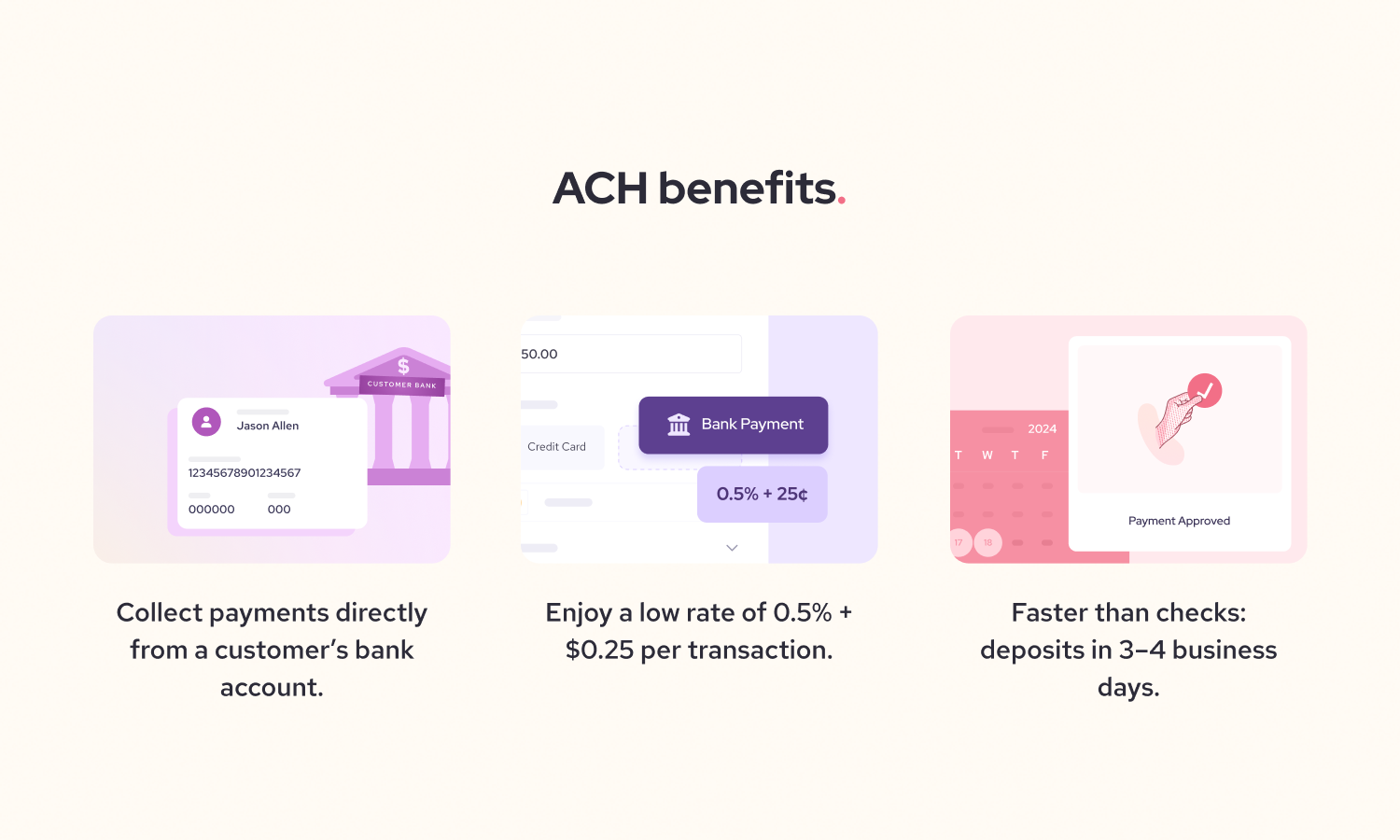
- ACH Direct Debit: For US-based businesses, ACH is usually the cheapest option. Zoho Payments, for example, charges 0.80% per transaction, capped at $5.00.
- Large Invoices: If you are billing a client for $5,000, a credit card fee at 2.9% would cost you $145. That same payment via ACH would only cost you $5.
2. Integrate Helcim with Zoho using the Helcim Payment Extension
The most effective way to lower your fees without losing your Zoho workflow is to "bring your own" processor. The Helcim Payment Extension is a browser-based tool that lets you bypass Zoho's expensive default rates without needing to leave Zoho’s user interface.
- Maintain Your Workflow: You continue to use Zoho Invoice to manage your clients and send bills, but use Helcim to handle the actual money movement.
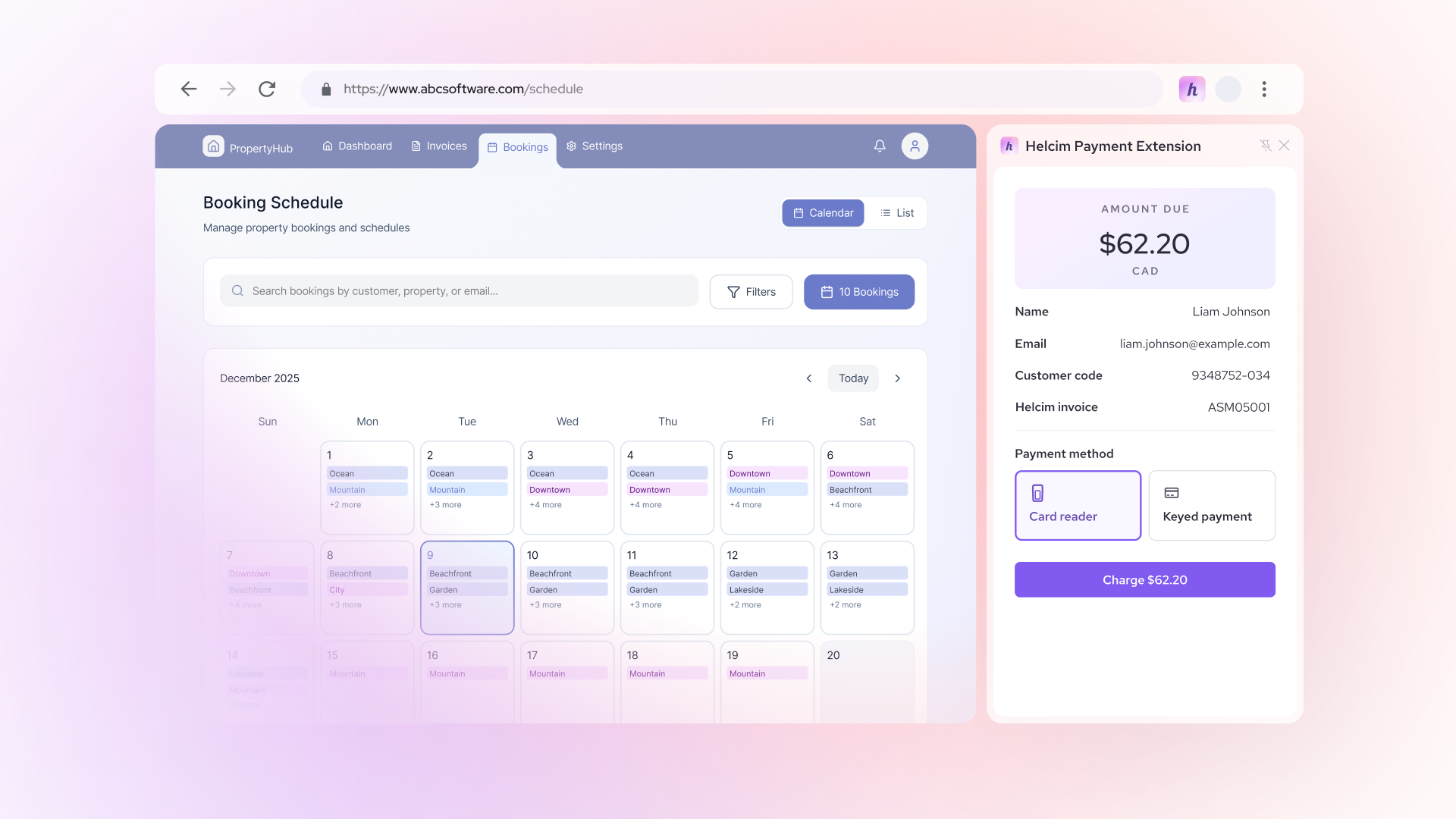
- No Manual Data Entry: The extension "detects" invoice details like the amount and customer name right on your screen. Once the payment is approved, it automatically communicates back to Zoho to mark the invoice as "Paid".
- Interchange-Plus Pricing: Instead of a flat 2.9% "tax," Helcim uses an interchange-plus pricing model. This means you pay the actual cost of the card plus a small, transparent margin. On average, Helcim users can see rates around 2.49% + 25 cents for online payments and 1.93% + 8 cents for in-person transactions.
How to pass Zoho payment processing fees to the customers
As your business grows, even the smallest transaction fees start to feel like a heavy anchor. One of the most effective ways to protect your profit is to pass credit card processing costs to your customers through surcharging. Because Zoho doesn’t support surcharging, you can use Helcim as an alternative by using the Helcim Fee Saver tool alongside the Helcim Payment Extension. This can essentially bring your credit card processing costs down to 0%.
Pair your Helcim POS device with the Helcim Payment Extension
If you meet clients in person you can now have a "real" checkout experience without leaving Zoho. You don't have to choose between manual entry and high fees.
- A Professional Hand-off: First, integrate Helcim with Zoho through Helcim Payment Extension and connect Helcim POS device to the extension. When it's time to pay, the Helcim Payment Extension detects the Zoho invoice on your screen and pushes the total directly to your Helcim Smart Terminal or Helcim Card Reader.
- The "Zero-Cost" Checkout: With Helcim Fee Saver enabled, the terminal automatically calculates and adds a small surcharge to the total when a customer chooses to pay by credit card.
- Fairness and Choice: This isn't about hitting customers with hidden fees; it's about transparency. Make sure to let your customers know when you surcharge to avoid any surprise. If a customer wants to avoid the surcharge, they can simply tap a debit card or pay via ACH, and the fee is never applied.
- Automatic Bookkeeping: Once the transaction is swiped or tapped, the extension talks back to Zoho for you. It marks the invoice as "Paid" instantly, so your books stay balanced without you lifting a finger.
This approach gives you the best of both worlds: you keep the Zoho organization you love, and you stop letting processing fees eat your take-home pay.
What is the cheapest way to accept payments in Zoho?
The short answer: Pair your Zoho workflow with a processor that uses Interchange-Plus pricing and offers surcharging. While flat-rate providers are popular for their simplicity, they often hide a significant markup that eats into your profits as you scale.
For most Zoho users, the path to the lowest possible fees looks like this:
- Switch to Interchange-Plus: Instead of a flat 2.9%, by using interchange-plus processors you pay the actual "wholesale" cost of the card plus a small, transparent margin.
- Encourage ACH for large bills: Use ACH for high-value invoices to cap your costs at a small flat fee rather than a percentage.
- Use the Helcim Payment Extension: This allows you to keep the Zoho software you love while instantly accessing Helcim’s lower rates and volume discounts.
- Enable Helcim Fee Saver: Pass the cost of credit card processing directly to your customers as a convenience fee or surcharge, effectively bringing your cost to 0%.
Why Helcim is the best fit for Zoho users
We built the Helcim Payment Extension specifically for business owners who are tired of the "integration tax". With this tool, you can integrate Helcim to Zoho and enjoy low credit card processing fees without API, code or third-party connection. You shouldn't be penalized with higher rates just because you want to keep your accounting and invoicing organized in Zoho.
With Helcim, you get a partner that grows with you. As your monthly processing volume increases, your rates automatically drop. There are no monthly fees, no contracts, and no hidden "walled garden" costs. It’s the simplest way to have your cake and eat it, too: the Zoho software you want, with the fair pricing you deserve.
FAQs
Can I use a different payment processor with Zoho?
Yes, you can use a different processor, though Zoho typically encourages you to use one of their pre-integrated partners like Stripe or Zoho Payments. Traditionally, using an outside processor meant you had to manually record every payment to keep your books balanced—a tedious process for any busy owner. The Helcim Payment Extension changes this by allowing you to use Helcim’s fair rates while automatically syncing the data back to Zoho, so you get the lower costs without the manual work.
Does Zoho charge extra for using an external payment processor?
Zoho doesn’t charge a specific "penalty fee" for using an outside processor, but they do make it harder to sync your data. If you process a payment outside of their "walled garden" integrations, you lose the automatic "Paid" status on your invoices unless you use a tool like the Helcim Payment Extension to bridge the gap. Without that bridge, you're stuck spending hours on manual data entry just to save on fees.
Are Zoho Payments fees negotiable?
Generally, no. Most of Zoho's integrated partners use a "take it or leave it" flat-rate model, which is often set at 2.9% + $0.30. While some massive corporations might be able to negotiate, small to mid-sized businesses are usually stuck with the standard rates. This is why Helcim is different—we use an Interchange-Plus model that automatically lowers your rates as your business grows.
Are there volume discounts for Zoho Payments?
Zoho Payments does not offer automatic, scaled volume discounts for their transaction fees. You pay the same flat rate whether you process $1,000 or $10,000 a month. In contrast, Helcim’s pricing is built for growth; as your processing volume increases, your margin automatically decreases. This ensures that as your business becomes more successful, your processing costs actually become more efficient.
Related Articles
-

Merchant account fees uncovered: How to save on credit card processing costs
Jared Slemp | September 30, 2024
-

What are debit card processing fees?
Robert Luong | September 18, 2024
-

What are the lowest credit card processing fees?
Robert Luong | September 11, 2024
-

How to reduce your credit card processing fees
Ryleigh Stangness | November 1, 2022